Create and edit
Annotating several creatives at once
Mark what should change on a page of ads, then send every edit with one press.
Last updated 17 October 2026

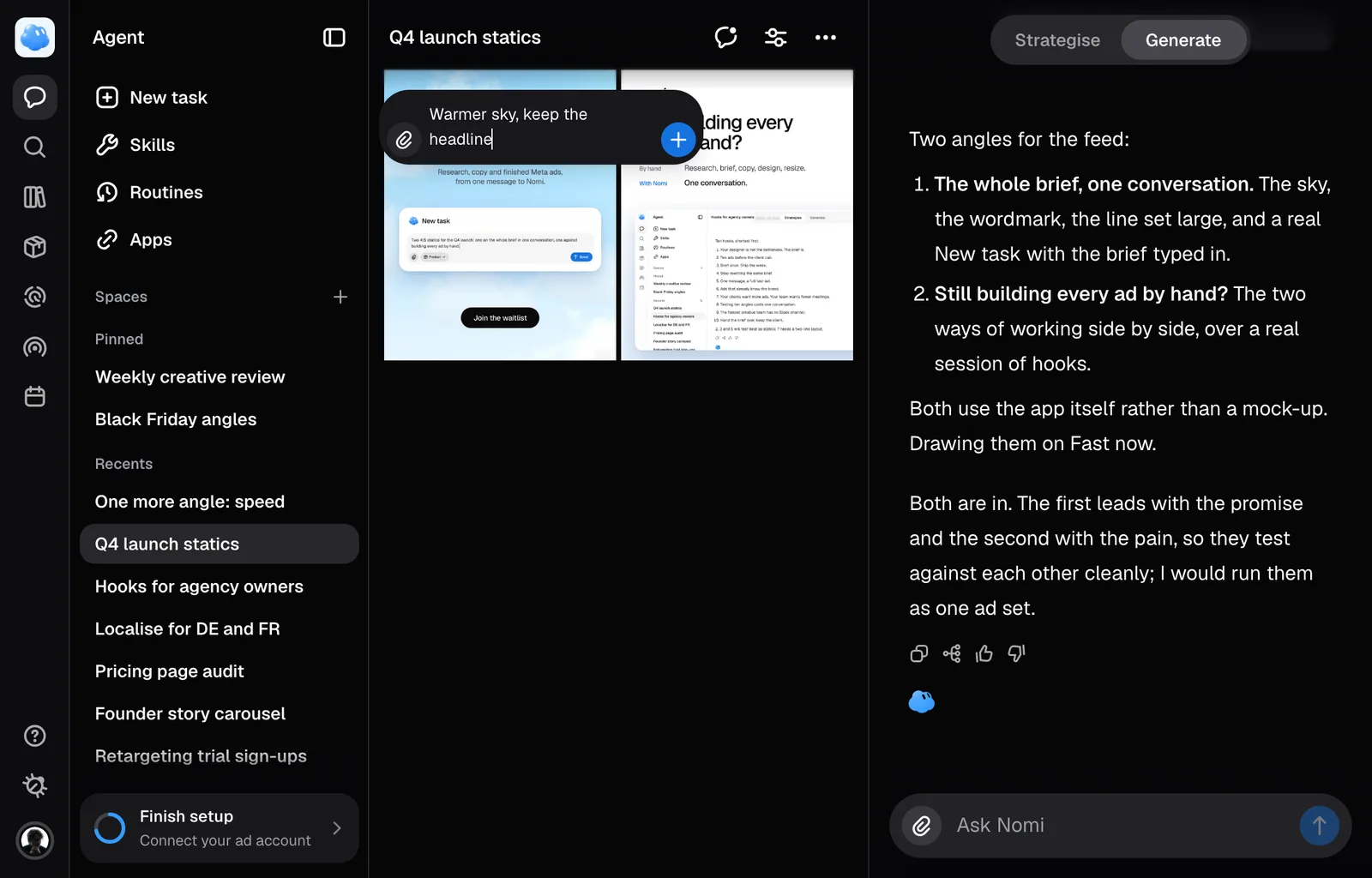
Reviewing a page of ads is one job, not one job per ad. Mark what is wrong on each of them where you see it, and send the whole lot at once.
Marking a creative
Hold Alt and click any creative on a session's canvas. A blue marker with a white outline and a number lands where you pointed and its note field opens, with the tool left on so the next one costs a single click. The annotate button beside the filter turns the same tool on and off, and so does C.
Drag instead of clicking and you ring a whole region rather than a point, which is what you want for a strip of copy or a corner of the frame. A dashed outline stays on the ad so you can see what you marked.
Write the change the way you would tell a designer: "make this headline shorter", "warmer light here". Enter saves it. So does clicking away, so a sentence you typed is never lost by leaving the field.
The paperclip attaches a picture to that annotation, which is how you say "like this", and it stays for a second or a third. A picture on its own is a complete instruction and needs no words beside it. One creative carries four pictures at most, and the paperclip disappears when it is full.
Numbers count the annotations on each picture, starting at 1. Open a marker to read or change its note.
What travels with an annotation
The spot you pointed at, the words, and any picture you attached. Nomi draws the marker onto a copy of the ad before the model sees it, which is how a change lands on the bottle you meant rather than on the one beside it. A point is drawn as a ring, a region as a frame.
Sending the batch
The bar at the bottom counts what is queued, as annotations and as creatives: 4 annotations on 3 creatives. Send says what it costs before you press it, the same way Render does in the editor.
- One creative is one edit, whatever you wrote on it. Three annotations on one ad cost the same as one.
- Each creative is redrawn on its own, so one that fails costs its own edit and nothing else. Nomi says how many did not start.
- Every edit becomes a new version of the ad it came from. The picture you started from is untouched.
Leaving without sending
Escape turns the tool off and closes whatever field is open. The × on the bar clears every annotation on the page. A marker you never wrote anything into disappears by itself.
This works on a session's canvas and in the Library. Open a creative in the editor when you want to work on one ad closely: the editor takes attachments, drawing and resizing, which the grid does not.
What one batch costs
3 credits per annotated creative. Four annotations spread over three ads is 9 credits.
Still missing something?